
Category: Uncategorized

  • What internet speed do you need for IPTV? UK guide

    What internet speed do you need for IPTV? UK guide

    Most IPTV problems are blamed on the service when the cause is the network. Here is what the numbers actually need to be, and why the headline speed on your broadband bill is the least useful of them.

    The speeds you need

    • SD — around 5 Mbps
    • HD 720p — around 10 Mbps
    • Full HD 1080p — around 15 Mbps
    • 4K UHD — around 25 Mbps

    Those are per simultaneous stream. Two people watching different channels in 1080p need roughly 30 Mbps between them, plus whatever else the household is doing.

    Almost every UK broadband package now exceeds these figures comfortably. If your connection is 60 Mbps or better and the picture still stutters, speed is not your problem.

    Why stability beats speed

    A stream needs a steady trickle, not a big burst. A 500 Mbps connection that drops packets for half a second every minute will stutter, while a rock-solid 30 Mbps connection will not. The measurements that matter are jitter and packet loss, and neither appears on your broadband advert.

    This is why the same service can look perfect on a laptop next to the router and stutter on a television at the other end of the house. The connection did not change; the wifi path did.

    How to test it properly

    • Run a speed test on the device you actually watch on, not on your phone standing next to the router.
    • Test at the time you actually watch, usually between 7pm and 10pm, when your street is busiest.
    • Run it twice, a few minutes apart, and compare. A large gap between the two suggests instability rather than a slow line.

    Fixes that make the biggest difference

    • Use an ethernet cable. The single biggest improvement available. If the television is anywhere near the router, wire it.
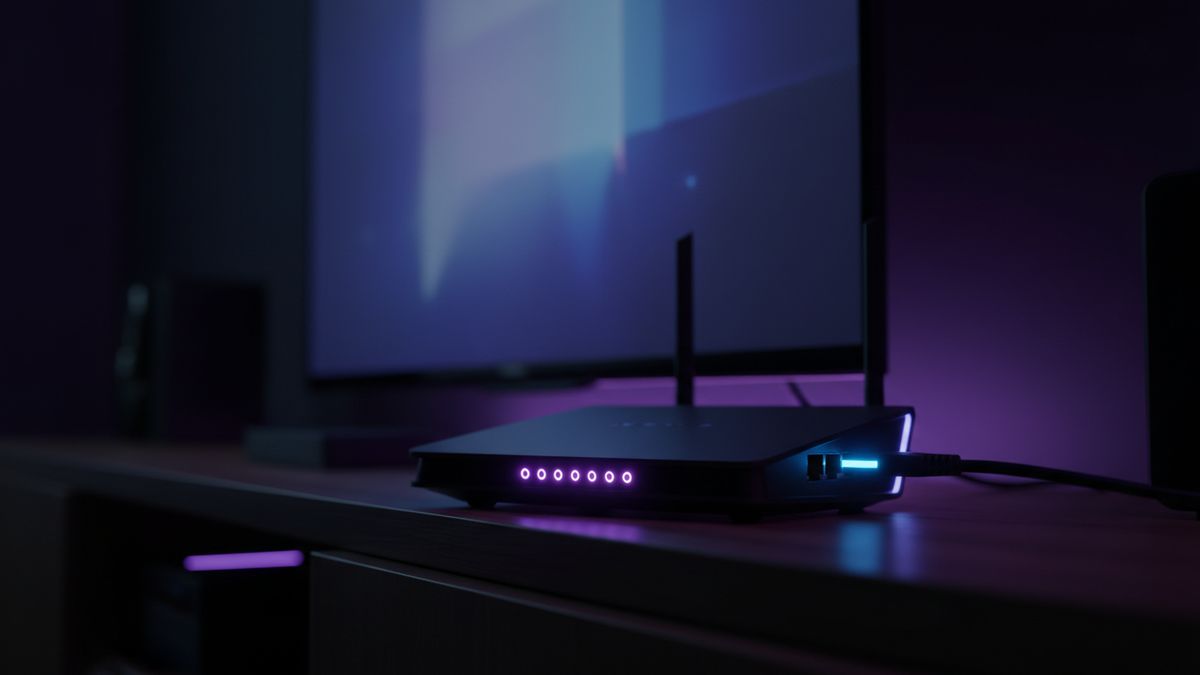
    • Use the 5 GHz band. Most routers broadcast two networks. 2.4 GHz travels further but is slower and far more congested.
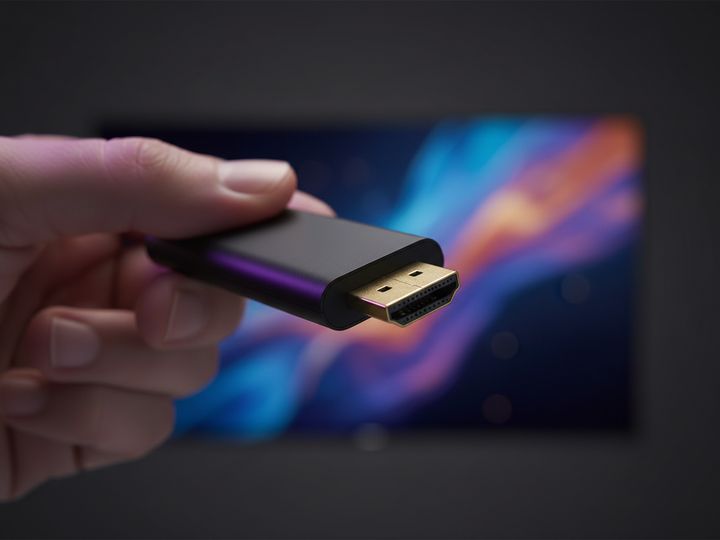
    • Move a streaming stick off the back of the television. Use the HDMI extender in the box. Heat and interference both hurt it.
    • Try powerline adapters. If wiring is impossible, they carry the network over your mains and beat weak wifi.
    • Close other apps on the device before a live match. Streaming sticks have very little memory.

    When it is not your network

    If a wired device on a fast, stable connection still stutters on one specific channel while everything else is fine, that points at the feed rather than your house. Message us during the match rather than after it and we will usually move you to an alternative feed for the same event.

    More detail on the whole subject is in our guide to fixing IPTV buffering in five minutes.

  • IPTV vs Sky and Virgin Media: what you actually save

    IPTV vs Sky and Virgin Media: what you actually save

    The usual pitch is that IPTV costs a tenth of Sky. The saving is real, but it is not the whole story, and pretending otherwise leads to disappointed customers. Here is the comparison with the drawbacks included.

    The money

    A UK satellite or cable package with sport and films typically costs well over £60 a month once the introductory discount ends, on an eighteen or twenty-four month contract. Add a second box or multiroom and it climbs further. Most contracts also allow a mid-term price rise.

    A prepaid IPTV plan at £49.99 for twelve months is about £4.17 a month, paid once. Over a year that is roughly £50 against roughly £720. Even allowing for a streaming stick and a TV Licence, the gap is large.

    Where traditional pay TV is genuinely better

    This is the part most IPTV sites leave out.

    • Reliability. A satellite feed is engineered end to end by one company. IPTV depends on your broadband, your wifi and the provider’s capacity at peak time. It is more variable, particularly during major fixtures.
    • Accountability. Sky and Virgin are regulated UK companies with published complaints procedures and Ofcom oversight. If something goes wrong you have formal recourse.
    • Integrated recording. Traditional boxes offer proper series recording, pause and rewind of live television across all channels. IPTV catch-up is usually limited to supported channels and a few days.
    • Bundling. Cable in particular bundles broadband and phone, and the combined price can be better than it first looks.

    Where IPTV wins

    • Cost, by a wide margin.
    • No contract. A prepaid term simply ends. There is no cancellation call, no notice period and no mid-term price rise.
    • Breadth. International and specialist channels that UK providers do not carry at all.
    • No installation. Nothing drilled into the wall, nothing to remove when you move house, no engineer appointment.

    What you need for it to work well

    Roughly 15 Mbps for HD and 25 Mbps for 4K, and stability matters more than raw speed. A wired connection to the television beats wifi every time for live sport. Our guide to internet speed for IPTV covers this in detail, and fixing buffering covers what to do when it stutters.

    Who should switch, and who should not

    If you mainly watch sport and films, you are comfortable installing an app, and your broadband is solid, IPTV will save you a great deal of money for a similar experience.

    If you need guaranteed reliability for one specific event, you want a single company accountable for the whole chain, or your broadband is weak and cannot be wired, traditional pay TV is the safer choice and it is worth what it costs.

    If you are unsure, test it during a live match before cancelling anything. Never cancel an existing subscription until you have proved the replacement works in your house.

  • Is IPTV legal in the UK? What the law actually says

    Is IPTV legal in the UK? What the law actually says

    This question gets a lot of vague answers from people selling IPTV. Here is a straight explanation of what UK law actually covers, including the parts that are inconvenient for providers to mention.

    The technology itself is lawful

    IPTV simply means television delivered over an internet connection instead of an aerial, satellite dish or cable. That is an ordinary technology. BBC iPlayer, ITVX, Netflix, Now and Amazon Prime Video are all IPTV in the technical sense. The media player apps used to watch IPTV streams are ordinary software and are not illegal to install or own.

    The question is rights, not technology

    What determines legality is whether the service has the right to distribute the content it carries. A provider that has licensed the channels it retransmits is operating lawfully. A provider retransmitting subscription channels without the rights holder’s permission is infringing copyright, and in the UK that is a criminal matter under the Copyright, Designs and Patents Act 1988, not merely a civil one.

    Enforcement in the UK has focused on sellers and operators rather than individual viewers, and there have been custodial sentences for people running large unlicensed services. Prosecutions of ordinary end users are rare, but “rare” is not the same as “impossible”, and it is not the same as “legal”.

    Be sceptical of blanket reassurance

    If a provider tells you flatly that their service is legal, ask which channels they are licensed to carry and by whom. A licensed operator can answer that question. It is a fair question to ask, and the answer tells you what you are buying.

    We would rather set that out here than have you discover it later. You are entitled to make an informed decision.

    The TV Licence is separate

    Regardless of how you receive television, UK law requires a valid TV Licence to watch or record live television as it is being broadcast on any channel, on any device, and to use BBC iPlayer at all. This applies whether the signal reaches you by aerial, satellite, cable or internet.

    A TV Licence is not a substitute for content rights, and content rights are not a substitute for a TV Licence. They are two separate obligations, and the licence one sits with you as the viewer. Details are on the TV Licensing website.

    VPNs do not change the legal position

    A VPN encrypts your connection and hides your traffic from your internet provider. It does not grant rights to content and it does not make an unlicensed stream lawful. Treat any claim that a VPN “makes IPTV legal” as marketing rather than legal advice.

    What to check before you subscribe

    • Ask the provider what they are licensed to carry, and who licenses them.
    • Check whether you hold a valid TV Licence for live television in your household.
    • Be wary of any service that will not answer either question directly.
    • Remember that a low price often reflects the cost of the rights that were not paid for.

    Where we stand

    IPTV Cast supplies access to a streaming service. We say plainly on every page that a valid TV Licence may be required, and we would rather answer an awkward question before you order than after. If legality is a concern for you, ask us directly before buying anything.

    This article is general information about UK law and is not legal advice. If the position matters to your circumstances, take advice from a qualified solicitor.

  • How much does IPTV cost in the UK? Real prices compared

    How much does IPTV cost in the UK? Real prices compared

    IPTV pricing in the UK is confusing because providers quote in different units. Some advertise a monthly figure that is only available if you pay for two years up front. Others show a headline price that covers one connection when you need three. Here is how the numbers actually work.

    The typical UK price range

    Across the UK market, prepaid IPTV plans generally land in these bands:

    • 1 month — roughly £10 to £15
    • 3 months — roughly £20 to £35
    • 6 months — roughly £30 to £50
    • 12 months — roughly £45 to £75
    • 24 months — roughly £75 to £120

    For reference, our own plans sit inside those bands: £24.99 for three months and £49.99 for twelve on Standard, with Premium 4K at £34.99 and £69.99.

    Work out the monthly cost yourself

    The only fair comparison is total price divided by months. A £49.99 twelve month plan is £4.17 a month. A £79.99 twenty-four month plan is £3.33. A £12.99 one month plan is £12.99 a month, which is nearly four times the cost of the same service bought on a longer term.

    Longer terms are cheaper per month everywhere. The trade-off is that you are paying up front for a service you have not tested yet, which is why a trial matters more than the discount.

    Things that change the price

    Number of connections

    One connection means one device watching at a time. If two people in the house want different channels simultaneously, you need two connections, and most providers charge extra for each one. Check this before comparing headline prices, because a cheap single-connection plan is not cheap once you add a second stream.

    Quality tier

    4K tiers usually cost 30 to 50 percent more than HD tiers. If your television is 1080p, you are paying for resolution you cannot display. Check what your set actually supports first.

    Auto-renewal

    Some services store your card and charge again automatically when the term ends. A prepaid pass does not. This makes no difference on day one and a large difference a year later, so check which you are buying.

    What IPTV replaces, and what it does not

    IPTV replaces a pay-television subscription. It does not replace your broadband, and it does not replace your TV Licence, which is still required for watching live television in the UK. Budget for those separately.

    You may also need hardware. If your television is older than roughly 2018 the app may not install, and a streaming stick costs around £30 to £60 as a one-off.

    How it compares with traditional pay TV

    A typical UK satellite or cable package with sport runs to well over £60 a month once the introductory offer expires, usually on an eighteen or twenty-four month contract with a mid-term price rise built in. Against that, a prepaid IPTV plan at £3 to £6 a month is a large difference. We have broken the numbers down in IPTV vs Sky and Virgin Media.

    Cheapest is not always cheapest

    The lowest price in the market is usually a single connection, standard definition or heavily oversubscribed at peak times. It costs nothing on paper and quite a lot in ruined Saturday afternoons. Test at peak time before you judge value.

    If you want to check ours, request a trial and try it during a live fixture.

  • IPTV Cast: plans, channels and how it actually works

    IPTV Cast: plans, channels and how it actually works

    IPTV Cast is a UK service that delivers live television, sport and films over your existing broadband connection. There is no dish, no engineer visit and no rolling contract. This page explains plainly what you get, what it costs and what happens after you order.

    What IPTV Cast is

    Instead of a signal arriving through an aerial or satellite dish, channels are streamed to an app on a device you already own: a streaming stick, a smart television, a phone, a tablet or a computer. The result is the same live television and the same on-demand films, delivered over the internet with a full seven-day programme guide.

    You buy a prepaid pass for a fixed term. Nothing renews automatically, no card is stored, and when the term ends you decide whether to buy another.

    The two tiers

    There are two quality levels, and both work on every supported device.

    • Standard carries 25,000+ live channels and 140,000+ films and series in Full HD 1080p. It suits everyday viewing: news, soaps, drama and sport on a normal television.
    • Premium 4K adds 57,000+ channels, 238,000+ titles, 4K UHD picture, premium sports channels, faster content updates and priority performance at peak times.

    The full row-by-row breakdown is on the compare plans page.

    What the plans cost

    • 3 months — £24.99 Standard, £34.99 Premium
    • 6 months — £34.99 Standard, £49.99 Premium
    • 12 months — £49.99 Standard, £69.99 Premium
    • 24 months — £79.99 Standard, £109.99 Premium

    Every price is a single payment for the whole term. The 24 month Standard plan works out at roughly £3.33 a month, which is where most of the saving against traditional pay TV comes from.

    What you can watch

    The line-up covers UK and Irish terrestrial and entertainment channels, a large sport section including football, rugby, cricket, boxing and motorsport, film channels, children’s channels, news, documentaries and a wide international selection including Arabic, European, American and Asian channels. Pay-per-view events are included rather than charged separately.

    There is a category-by-category summary on the channel line-up page. If you want one specific channel, ask before you buy and we will confirm whether it is carried.

    Which devices it runs on

    Amazon Fire TV Stick and Cube, Samsung and LG smart televisions from roughly 2018 onward, Android TV boxes, Apple TV, iPhone and iPad, Android phones and tablets, Windows and Mac, and MAG or Formuler receivers.

    Televisions older than about 2018 often will not accept the app. The usual fix is a streaming stick in a spare HDMI socket. There is a setup guide for every device, and the device list shows what is supported.

    What happens after you order

    • You choose a tier and a term and press order, which opens a message with the plan already filled in.
    • We confirm the price and agree how you are paying. No payment is taken on this website and no card details are entered here.
    • Your login details arrive with a setup guide written for your specific device.
    • You install the player, enter the details, and the channel list and guide load.

    Most people are watching within a few minutes. If you would rather be walked through it step by step, say so and we will do that instead.

    One connection, or more

    Every plan includes one connection, meaning one device watching at any moment. You can install the app on as many devices as you like and switch between them. Households that need two or three screens running at once can add up to five connections — ask for a quote before you pay.

    Before you commit

    You can request a trial and test it at peak time on the channels you actually care about. That is the only test worth doing: any service streams well at three in the afternoon, and what matters is 8pm on a Saturday.

    A valid TV Licence is required to watch live television in the UK, and that responsibility sits with you as the viewer.

  • Best IPTV UK: what to actually look for before you buy

    Best IPTV UK: what to actually look for before you buy

    Every IPTV provider in the UK claims the same three things: tens of thousands of channels, 4K quality and no buffering. The claims are close to meaningless on their own, because nobody can verify them from a sales page. Here is what is actually worth checking before you hand over money.

    Peak-time performance, not channel counts

    A service carrying 60,000 channels is no use if the one match you want stutters at 20:00 on a Saturday. Channel counts are the easiest number to inflate and the least useful to you. What matters is how the service behaves when everyone in the country is watching the same fixture. Ask for a trial and test it at exactly that time, on exactly that channel.

    Whether it renews automatically

    Some providers store your card and charge again when the term ends. A prepaid pass does not. Check which you are buying, because the difference only becomes obvious a year later.

    Whether a human answers

    Message the provider a question before you buy. How fast they answer, and whether the answer is a real answer, tells you more about the next twelve months than any feature list. If nobody replies before you have paid, nobody will reply after.

    Whether your device is supported

    Smart televisions older than roughly 2018 frequently will not run the player. That is not a fault with the service, but it will ruin your evening if you find out after paying. Send your make and model first. See our supported devices list.

  • IPTV buffering: how to fix it in five minutes

    IPTV buffering: how to fix it in five minutes

    Buffering is nearly always a network problem rather than a fault with the stream itself. Work through these in order and most cases resolve before you reach the end.

    1. Go wired if you possibly can

    An ethernet cable beats wifi every time for live sport. If the television is anywhere near the router, this single change fixes more buffering than everything else combined.

    2. Use 5 GHz, not 2.4 GHz

    Most routers broadcast two networks. The 2.4 GHz band travels further but is slower and far more congested. Connect the television or Stick to the 5 GHz network.

    3. Move the Fire Stick off the back of the TV

    Pushed flat into a rear HDMI socket, a Fire TV Stick runs hot and sits inside the television’s own electrical noise. A short HDMI extender, usually supplied in the box, makes a measurable difference.

    4. Clear the player cache and close other apps

    Streaming devices have very little memory. Closing background apps and clearing the player cache frees up enough to keep a 4K stream steady.

    5. Ask for an alternative feed

    If one feed for a match is struggling under load, there is often another carrying the same event. Message us during the game rather than after it and we will point you at it.

  • IPTV on Fire TV Stick: the complete UK setup guide

    IPTV on Fire TV Stick: the complete UK setup guide

    The Amazon Fire TV Stick is the most common way to watch IPTV in the UK, largely because it is cheap, it works on any television with an HDMI socket, and it does not care how old the television is. Here is the full process.

    What you need first

    A Fire TV Stick of any generation, a broadband connection of roughly 15 Mbps or better, and the username, password and server URL from your welcome message.

    The steps

    The full step-by-step version, including the developer options screen and the Downloader app, is on our Fire TV Stick setup guide. It takes about five minutes.

    Getting the best picture

    Use the supplied HDMI extender rather than plugging the Stick directly into the television. Connect to the 5 GHz wifi band. If you have a 4K television and watch a lot of sport, the 4K Max model is noticeably steadier than the basic Stick under load.

    If something goes wrong

    Most problems on this device are network related rather than account related. Our guide to fixing buffering covers the usual causes. If none of it helps, message us and we will look at your account directly.